FOR PEOPLE WHO BUILD TOGETHER
New commits?
Let your Mac knock.
Stay in your flow. When a teammate pushes code,
Git Knock gives you a little heads-up.
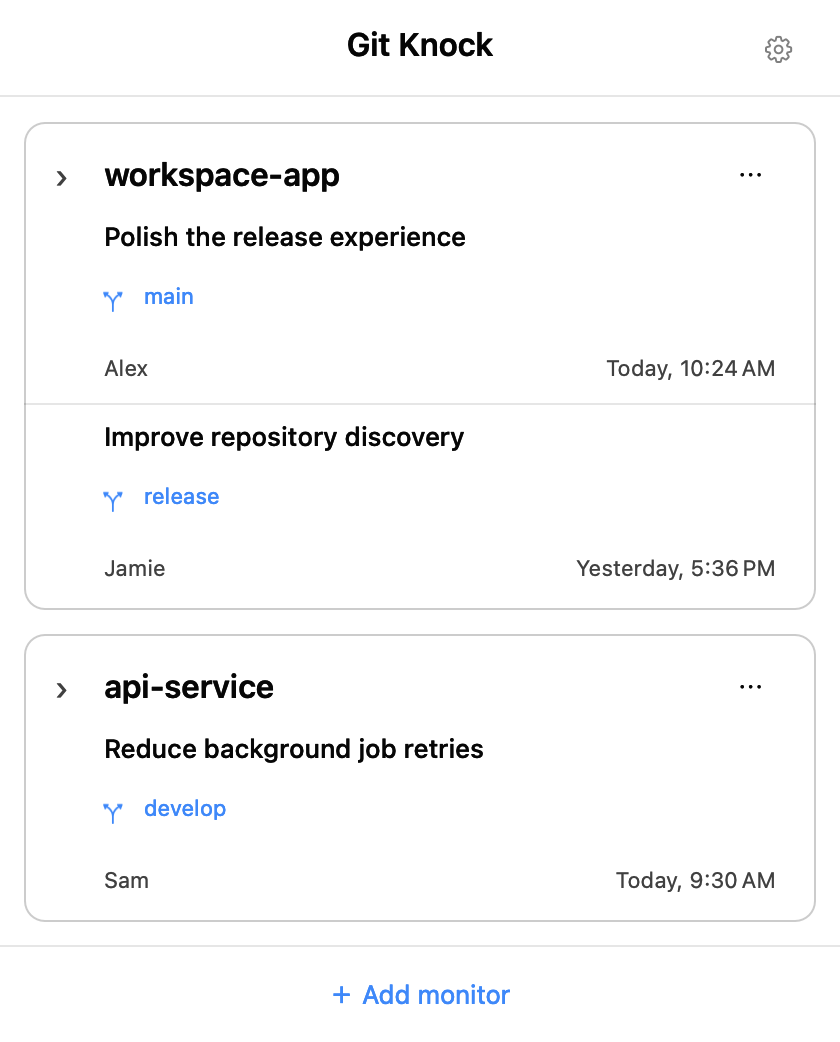
Open the menu bar to see what changed.
Coming to the Mac App Store · One-time purchase

ONE LESS “DID YOU PUSH?”
Keep building.
It keeps an eye out.
At the office, working remotely, or across several projects.
Follow the branches that matter without checking them all day.
- 01
Choose repos and branches
Select an existing local Git repository and check one or more remote branches. Each branch keeps its own progress.
- 02
Leave it in the menu bar
Checks run in the background, every minute by default. The first successful check establishes a quiet baseline.
- 03
Hear a sound. Take a look.
New commits trigger a system notification and your chosen sound. Open the panel to see who changed what.
A LITTLE CONTEXT GOES A LONG WAY
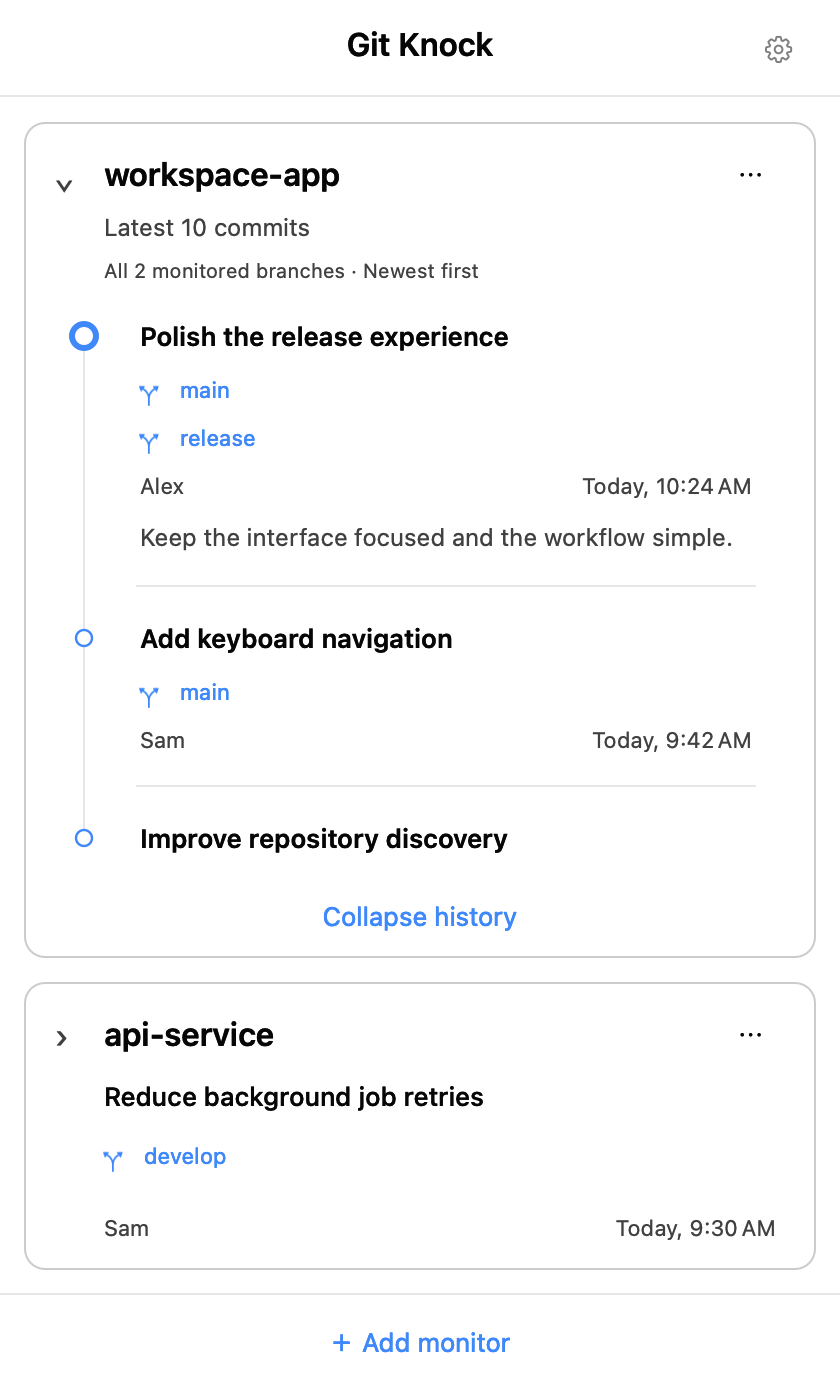
Latest at a glance.
History on a click.
Branches from the same repository share a card. Expand it for a merged timeline: shared commits appear once, with their branch labels, ordered by commit time. Choose 5–20 entries in Settings.
Make the menu bar yours
See checking and unread states. Add two lines of text with your choice of repository, branch, author and time, including short branch names.
Focus on what matters
Pin your everyday repositories. Ignore selected authors per repository to filter their notifications and visible history.
Pick your kind of knock
Choose from 14 macOS sounds, or import an MP3, WAV or AIFF clip up to 15 seconds long.
Feels at home on your Mac
A native interface with light and dark appearances, eight languages, pause controls and optional launch at login.
A SMALL APP. ONE LESS THING TO REMEMBER.
Next time code lands,
let your Mac knock.
One-time purchase · Coming to the Mac App Store